Studio management for tattoo studios
Behind every great studio.
The diary, clients, consent forms, deposits and chair rent — in one app. Built inside a working tattoo studio, for the iPad on the desk and the phone in your pocket.
No card to start · No setup fee · No contract
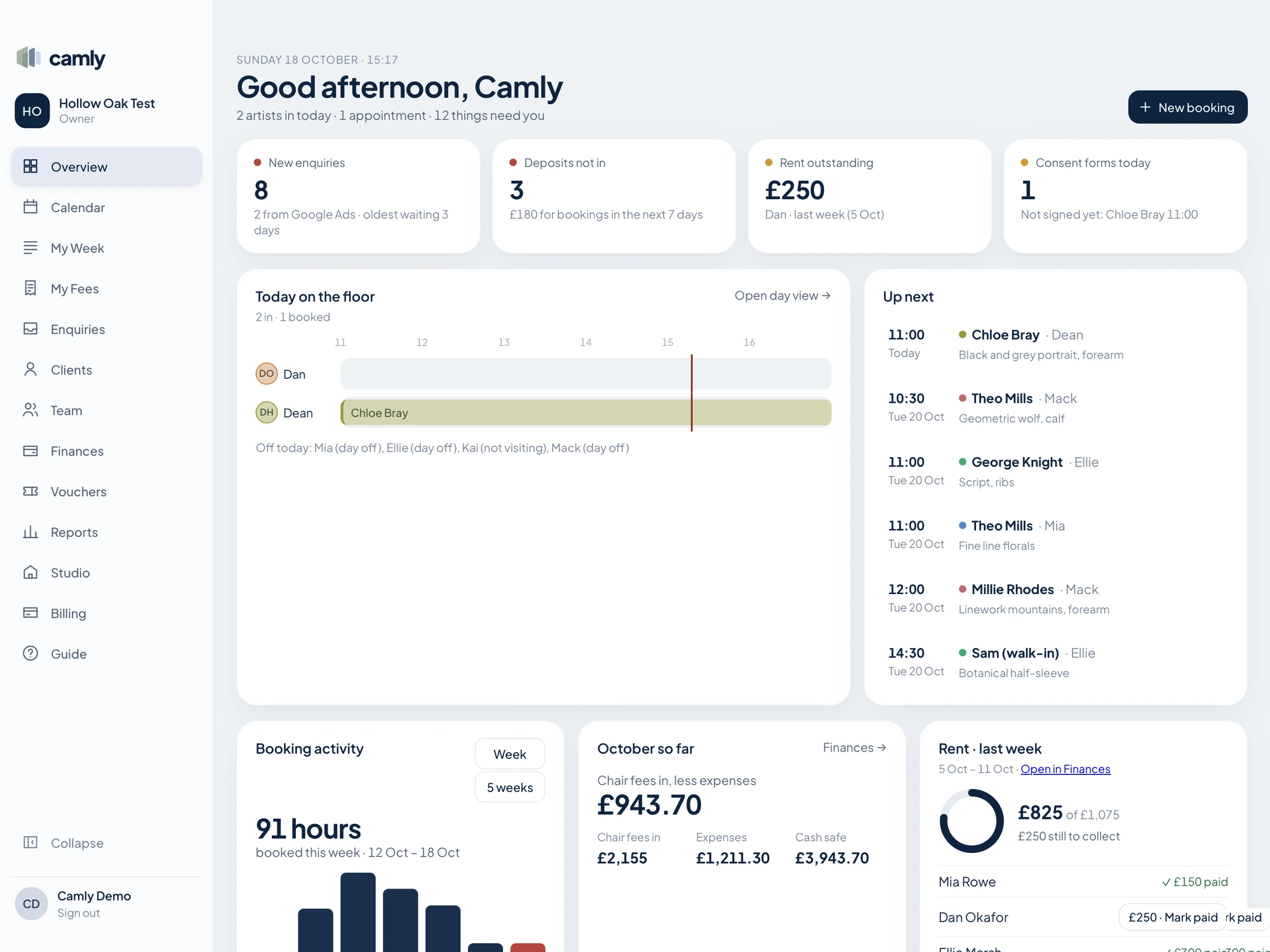
Stop running your studio from WhatsApp, a paper diary and a cash tin.
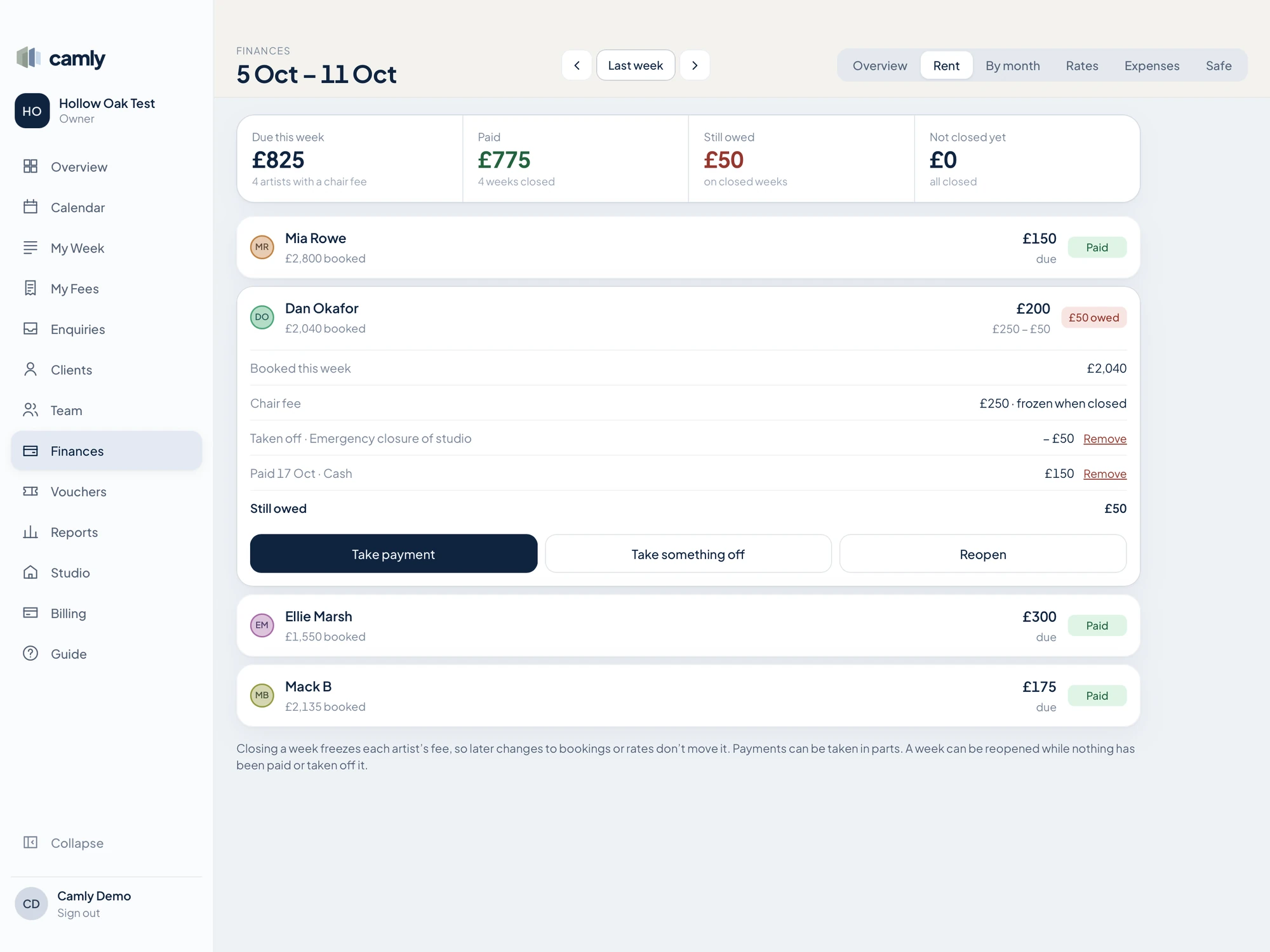
Chair rent
Percentage with a cap? Camly does the maths.
Camly works out what every artist owes the studio each week, from what's actually booked — and shows them the same numbers you see. No more awkward “what do I owe this week?” conversations.
- Flat weekly, percentage, percentage with a weekly cap, base plus percentage — set per artist, with changes dated.
- Part-payments, reductions with a reason, voucher credit — then close the week to lock it.
- Mark paid straight from the Overview. Rent sorted every Saturday in two taps.
Included on every plan.
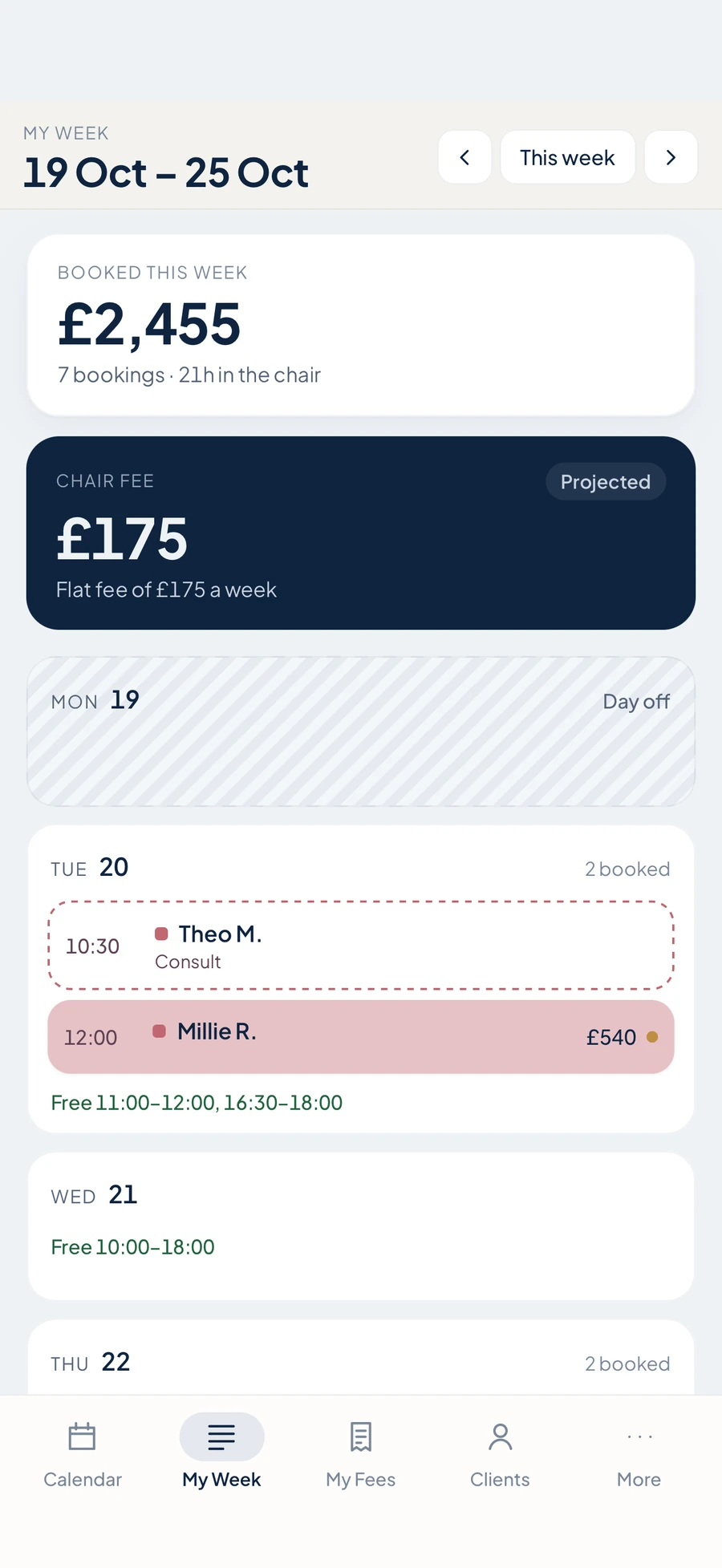
My Week, for artists
Their week, their gaps, their chair fee.
Every artist gets their own week on their phone: what's booked, hours in the chair, the gaps they could fill and what they'll owe the studio — without asking you.
- Free time worked out from their own hours, days off and closures.
- Artists only see their own diary — colleagues show as busy.
- My Fees shows every week and month, ready to export at tax time.
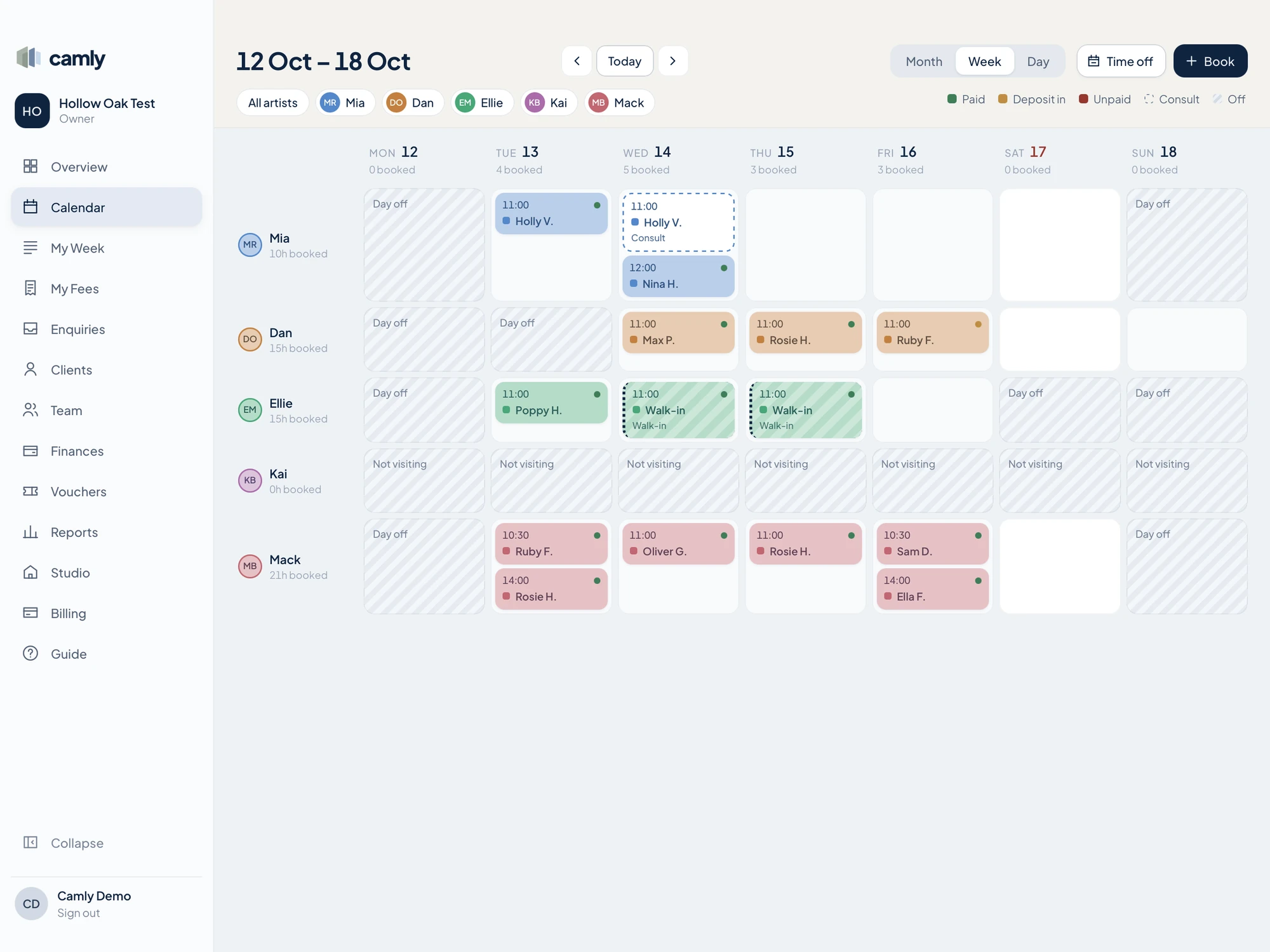
The studio calendar
Double bookings are impossible. Properly.
Every booking in one place, a row for each artist. Tap a gap to book. The database itself refuses two bookings in the same slot.
Book a back piece in one go
Multi-day bookings skip days off, split the price and keep the deposit on day one.
Time off that blocks itself
Holidays, guest spots and repeating days off. Closures and flash days show across the studio.
Live for everyone
When someone else books, your screen updates. No refreshing.
Deposits, reminders and aftercare
The messages you keep meaning to send, sent.
Online deposits
Tap Payment link on a booking and send it. The booking marks itself paid when Stripe confirms the money — never a screenshot, never “I've sent it”.
The money goes straight to your Stripe account, not ours.
Appointment reminders
Sent 1–3 days before, by email or text, with the consent form link — so clients arrive with it already signed. Move the booking and the reminder follows.
Fewer no-shows. Zero effort.
Aftercare, every time
The day after the tattoo, clients get your aftercare — your own page written in Camly, your existing link, or your PDF. Works on any phone, no app or login.
Even on the days you're slammed.
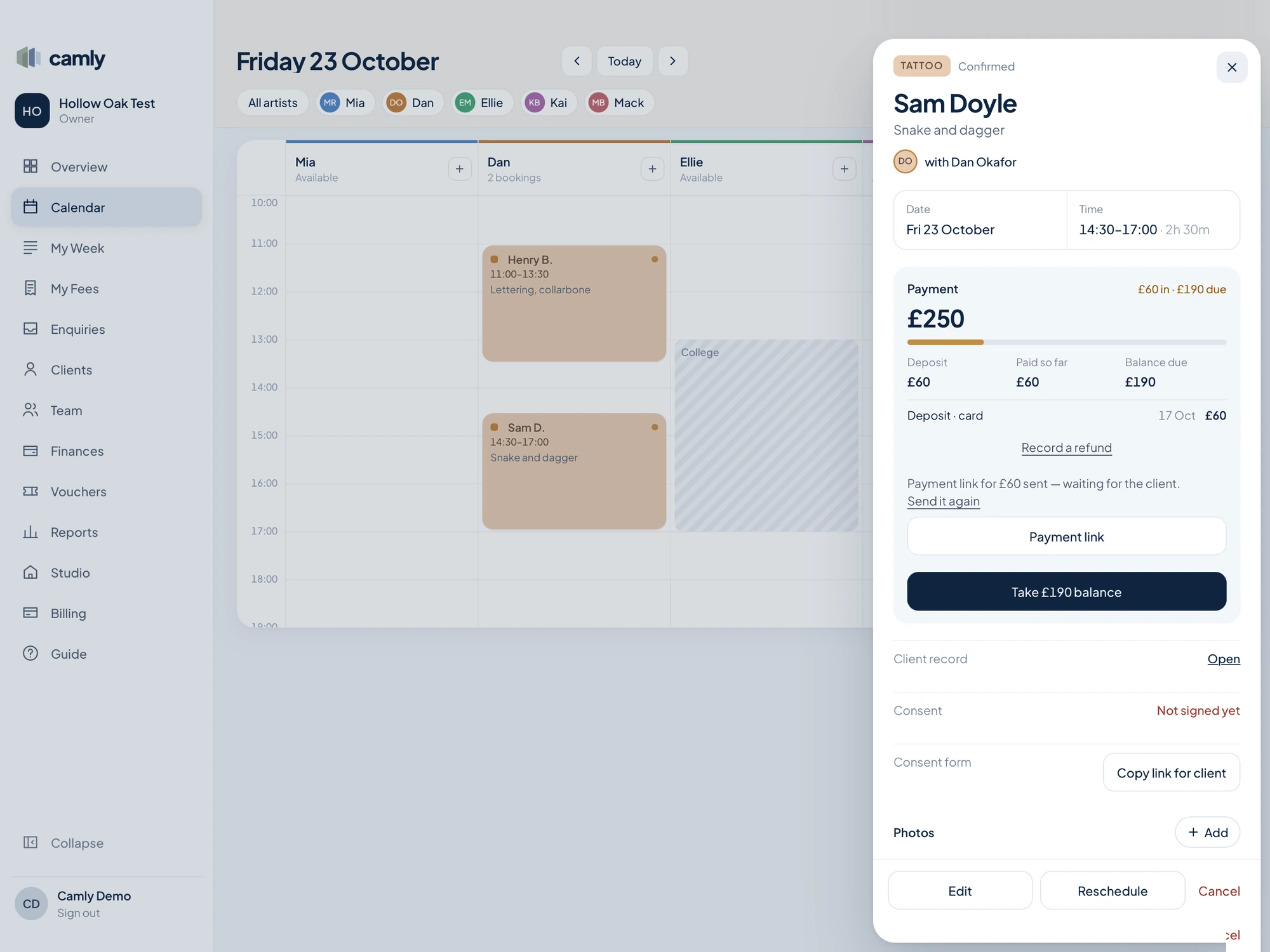
Everything about a booking, one tap away.
Deposit, what's been paid, the balance, the payment link, the consent form and photos — all on the booking. Take the balance on the day in one tap.
Digital consent forms
Bin the clipboard.
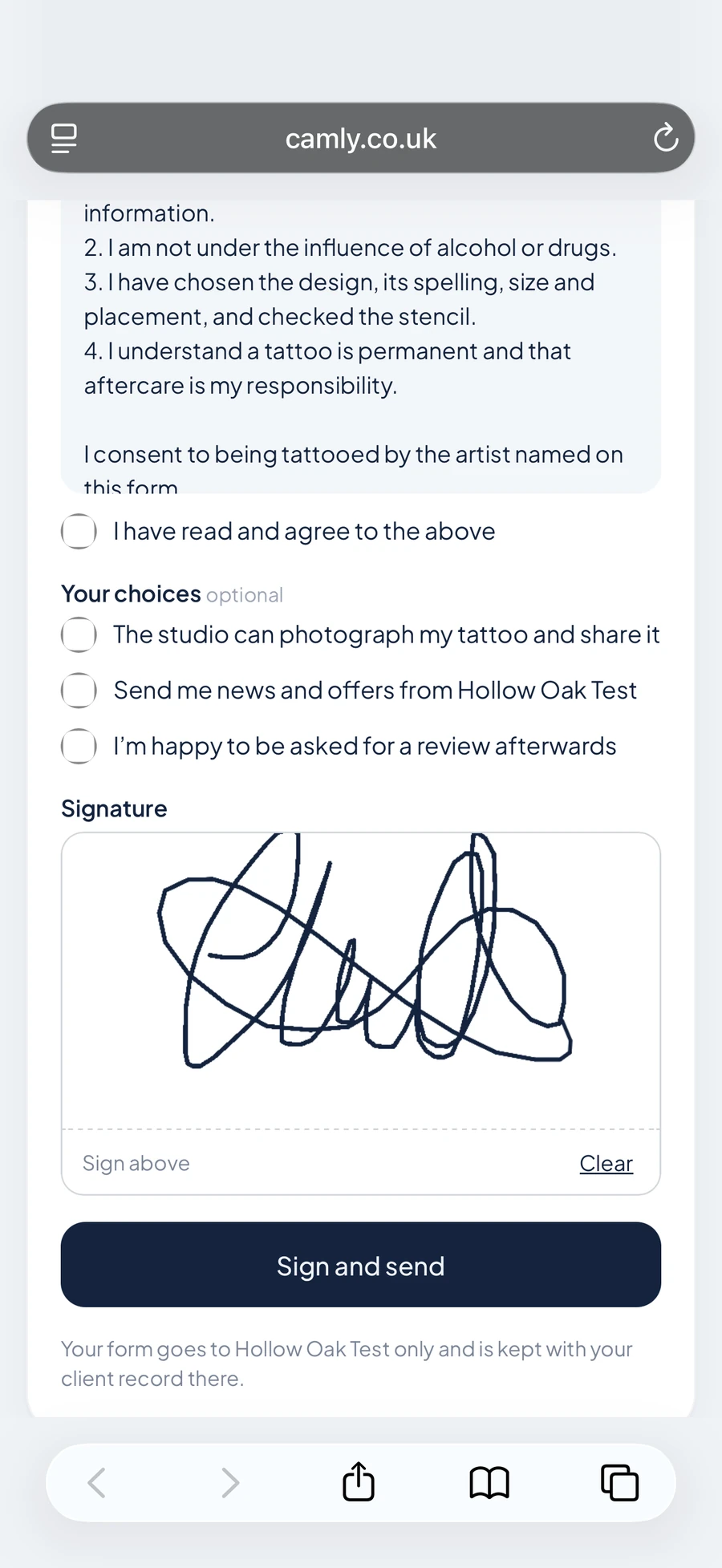
Clients sign on their own phone — from a link in their reminder, your bio, or a QR code at the desk. Every form lands on the client's record and links to that day's booking.
- Signature drawn on screen
- Age checked from date of birth
- Medical questions
- Emergency contact
- Your own wording, versioned
- Searchable in seconds
Every signed form keeps the exact text the client agreed to — proof, version by version.
Everything else, included
The whole studio, on every plan.
The Overview
Open Camly and see exactly what needs you today: enquiries, deposits, unsigned forms, rent to collect, who's in.
Clients
Visits, total spend, signed forms and notes on one screen. Book again in one tap. Merge duplicates.
Google review requests
Asked automatically 8–10 days after the tattoo, once it's healing — only clients who opted in.
Gift vouchers
Sell, look up by code and take as payment, with balances kept. Camly tracks what you owe the artist.
Team and permissions
Owner, manager or artist. Guest artists get a column, no login needed. Sign in with an email code.
Mailing list export
Your consent forms quietly build your list. One tap to download, ready for Mailchimp.
Messages log
See every reminder, aftercare, review request and voucher email Camly sent for you.
Set up in an evening
A seven-step guide that ticks itself off: hours, artists, team, consent form, reviews, first booking.
See it in action
Take the full tour.
Two and a half minutes round the demo studio: the diary, enquiries, consent forms, deposits, chair rent and the cash safe.
Studio Pro
Form, email and Google Ads — one inbox.
Every enquiry lands in one place. Assign an artist, add their real free dates, reply from Camly and turn it into a booking in one go — reference photos and all.
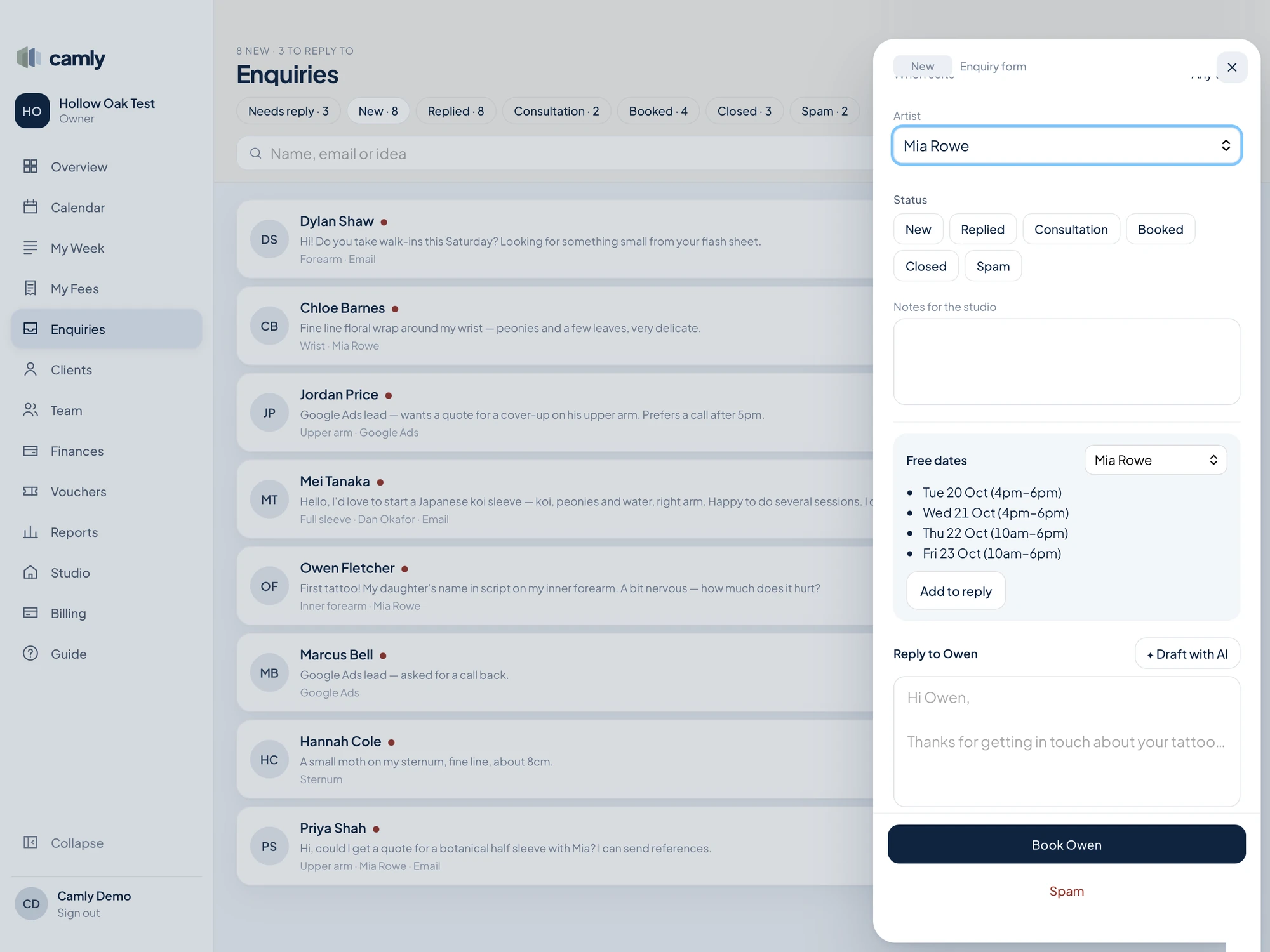
Enquiries inbox
Your own enquiry form with up to 5 reference photos, email forwarding from Gmail or Outlook, and Google Ads lead forms.
Free dates in replies
Finds the artist's next real openings and writes them into the reply. Never check the diary to answer an enquiry again.
Reports
Bookings, average ticket, how full the chairs are, new vs returning — and which enquiry sources actually book tattoos.
Finances and the cash safe
Rent in, expenses out, what's left. A running cash safe that records any difference when you count it.
Email gift vouchers
Send the voucher straight to the client — perfect for Christmas.
AI reply drafts · add-on
A first reply in your studio's voice, with the artist's free dates. You check and send.
Instagram, Facebook and WhatsApp messages will land alongside your form, email and Google Ads enquiries — reply and book without switching apps.
Pricing
One price per studio. Not per artist.
Start with a 30-day free trial with everything switched on. No card to start, no setup fee, no contract.
Studio
Everything to run the floor.
or £350 a year — two months free
- Calendar and artist diaries
- Clients and digital consent forms
- Chair rent tracking
- Online deposits
- Reminders and aftercare
- Google review requests
- Gift vouchers
- Team, roles and the artist app
Studio Pro
MOST STUDIOSPlus enquiries, reports and full finances.
or £590 a year — two months free
- Everything in Studio, plus:
- Enquiries inbox — form, email, Google Ads
- Free dates in replies
- Reports
- Finances, expenses and cash safe
- Email gift vouchers to clients
No VAT to add. More than 15 artists? Get in touch.
250 texts a month, sent with your studio's name.
250 more texts. They don't expire.
First replies in your studio's voice. You check and send.
On top of Stripe's card fee. Paid into your own Stripe.
Privacy and security
Your clients' medical info deserves better than a filing cabinet.
Walled off
Every studio's data is separated at the database level, and tested.No passwords
Everyone signs in with a one-time email code. Nothing to leak.Private photos
Signatures and photos are only shown through short-lived links.Nothing deleted
Stop paying and your studio goes read-only. Erase a client in full on request.Questions
Who made Camly?
A working tattoo studio. Camly started as the system we built to run our own studio — built in a tattoo studio, not a tech office.
Do I need a card to start the trial?
No. You get 30 days with everything switched on, Studio Pro included. Pick a plan when you're ready.
Do I pay per artist?
No. One price per studio, banded by how many artists you have: 1–3, 4–8 or 9–15. Guest artists don't need a login.
Does Camly hold my clients' deposits?
Never. You connect your own Stripe account once and deposits go straight there. Camly takes 1% on top of Stripe's card fee.
Does it work on an iPad and phone?
Yes — that's what it was built on. Sidebar on the iPad, tab bar on the phone, and you can add it to your home screen like an app.
What happens if I stop paying?
Your studio goes read-only. Nothing is ever deleted, so you can pick up where you left off.
Can I try it before starting a trial?
Yes. Pop in your name, studio name and email and the live demo opens straight away — a fully filled-in studio, no password and no card. It resets every night, so play all you like.
Have a play first.
Pop in your name, studio and email, and you’re straight into a fully filled-in demo studio — the calendar, chair rent, consent forms, all of it. No password, no card.